PC Builder’s Mischief

More performance. Less wasted money.

Every upgrade starts with a free Performance Assessment so we can benchmark your PC, identify the real bottlenecks, and recommend the upgrades that matter most.

Upgrades

Upgrade what matters, not just what looks good on paper.

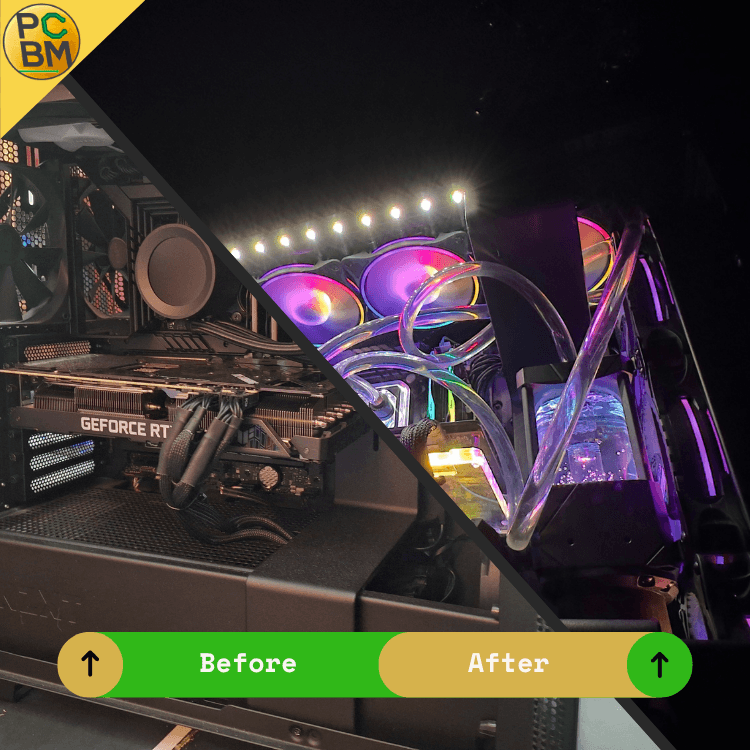
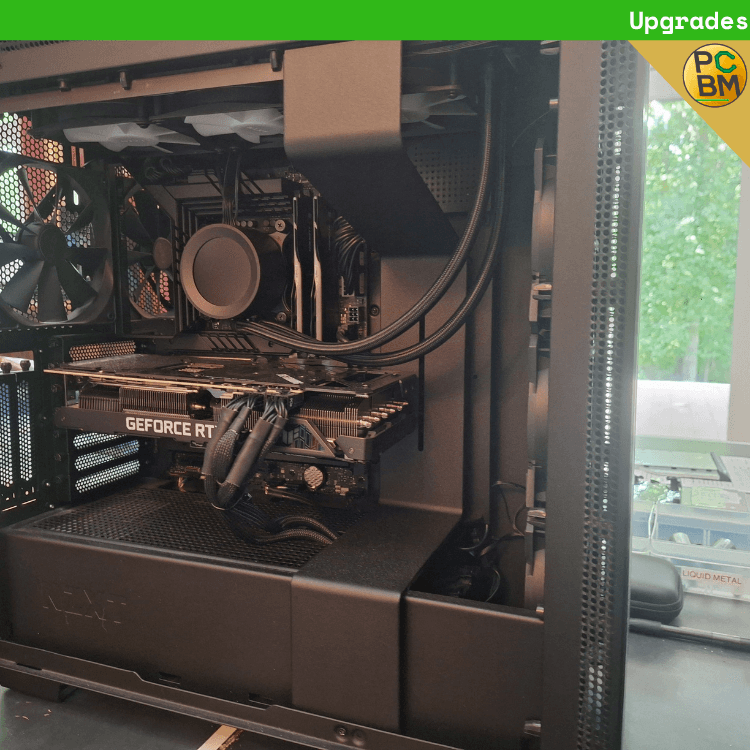
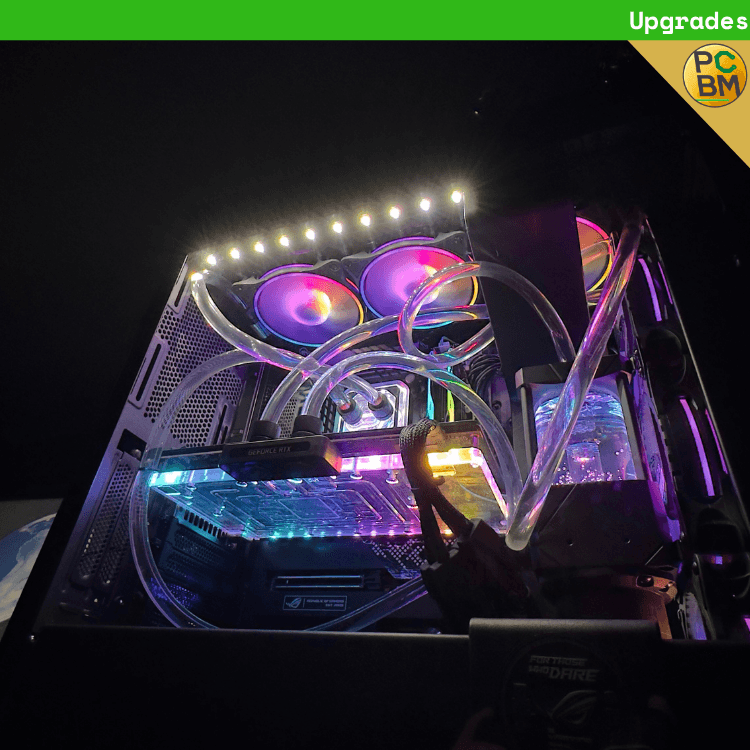
Most PCs do not need everything replaced. We start with a free Performance Assessment, inspect your current hardware, benchmark the system, and figure out where the real gains are. From there, we build a clear Upgrade Path so you know what is worth doing now, what can wait, and what will actually improve your experience.
Free Performance AssessmentBenchmark-backed recommendationsClear upgrade pathRe-tested after install
Hero media 1
Hero media 2
Why PCBM

We plan upgrades around results, not guesswork.

Our upgrade process is built to find the biggest real-world improvements first, then map out the smartest path forward for your system.

Start with a real system assessment
Before we recommend anything, we look at what your PC already has, how it is performing, and where it is being held back.
  • Current hardware reviewed
  • Baseline benchmarks recorded
  • Bottlenecks identified
Get a clear Upgrade Path
We build an Upgrade Path Document that outlines the biggest improvements we would make first, along with future recommendations if more upgrades make sense later.
  • Top 3 priorities listed
  • Future upgrades mapped out
  • Clear reasoning behind each recommendation
See the difference after the work is done
Once the approved parts are installed, we re-benchmark the system so you can see how the upgrade changed performance.
  • Approved parts only
  • Install + validation
  • Post-upgrade benchmark results
Showcase
Mid page showcase image
What’s included

A smarter upgrade process from assessment to results.

This is not a blind parts swap. We evaluate the system first, recommend the best path forward, and verify the improvement after the work is complete.

  • Free Performance Assessment
  • Full hardware review of the current system
  • Baseline benchmark and performance check
  • Upgrade Path Document with top recommendations
  • Future upgrade guidance when applicable
  • Post-upgrade benchmark and validation
How it works
Step 1
Book your upgrade assessment
Start by contacting us and letting us know you are looking to upgrade your system.
Step 2
Performance Assessment
We inspect your hardware, benchmark the PC, and figure out where your biggest upgrade opportunities are.
Step 3
Review your Upgrade Path
You get a document showing the top upgrades we recommend first, plus any additional future paths worth considering.
Step 4
Approve, order, and build
Once you approve the plan and payment is handled, we order the parts, complete the upgrade, and re-benchmark the system to confirm the gains.
Upgrade Pricing

Straightforward pricing once we know the plan.

Every upgrade starts with a free Performance Assessment. We review your current hardware, benchmark the system, and identify the best upgrade path before any parts are ordered.

Performance Assessment
Hardware review, baseline benchmarking, and upgrade path planning
Free
Hardware Install
Applies to individual hardware installs for up to 3 parts
$50 per part
Full Rebuild
Applies when the upgrade includes 4 or more hardware components
$175
Upgrades FAQ

Quick answers before you start

That is exactly what the free Performance Assessment is for. We review the hardware, benchmark the system, and identify the biggest upgrade opportunities before recommending parts.
Next step
Want to know the smartest way to upgrade your PC?
Start with a free Performance Assessment and we will map out the upgrade path that makes the most sense for your system.
Upgrades

Upgrade what matters, not just what looks good on paper.

Most PCs do not need everything replaced. We start with a free Performance Assessment, inspect your current hardware, benchmark the system, and figure out where the real gains are. From there, we build a clear Upgrade Path so you know what is worth doing now, what can wait, and what will actually improve your experience.

Free Performance AssessmentBenchmark-backed recommendationsClear upgrade pathRe-tested after install
Hero media 1
Hero media 2
Why PCBM

We plan upgrades around results, not guesswork.

Our upgrade process is built to find the biggest real-world improvements first, then map out the smartest path forward for your system.

Start with a real system assessment
Before we recommend anything, we look at what your PC already has, how it is performing, and where it is being held back.
  • Current hardware reviewed
  • Baseline benchmarks recorded
  • Bottlenecks identified
Get a clear Upgrade Path
We build an Upgrade Path Document that outlines the biggest improvements we would make first, along with future recommendations if more upgrades make sense later.
  • Top 3 priorities listed
  • Future upgrades mapped out
  • Clear reasoning behind each recommendation
See the difference after the work is done
Once the approved parts are installed, we re-benchmark the system so you can see how the upgrade changed performance.
  • Approved parts only
  • Install + validation
  • Post-upgrade benchmark results
Showcase
Mid page showcase image
What’s included

A smarter upgrade process from assessment to results.

This is not a blind parts swap. We evaluate the system first, recommend the best path forward, and verify the improvement after the work is complete.

  • Free Performance Assessment
  • Full hardware review of the current system
  • Baseline benchmark and performance check
  • Upgrade Path Document with top recommendations
  • Future upgrade guidance when applicable
  • Post-upgrade benchmark and validation
How it works
Step 1
Book your upgrade assessment
Start by contacting us and letting us know you are looking to upgrade your system.
Step 2
Performance Assessment
We inspect your hardware, benchmark the PC, and figure out where your biggest upgrade opportunities are.
Step 3
Review your Upgrade Path
You get a document showing the top upgrades we recommend first, plus any additional future paths worth considering.
Step 4
Approve, order, and build
Once you approve the plan and payment is handled, we order the parts, complete the upgrade, and re-benchmark the system to confirm the gains.
Upgrade Pricing

Straightforward pricing once we know the plan.

Every upgrade starts with a free Performance Assessment. We review your current hardware, benchmark the system, and identify the best upgrade path before any parts are ordered.

Performance Assessment
Hardware review, baseline benchmarking, and upgrade path planning
Free
Hardware Install
Applies to individual hardware installs for up to 3 parts
$50 per part
Full Rebuild
Applies when the upgrade includes 4 or more hardware components
$175
Upgrades FAQ

Quick answers before you start

That is exactly what the free Performance Assessment is for. We review the hardware, benchmark the system, and identify the biggest upgrade opportunities before recommending parts.
Next step
Want to know the smartest way to upgrade your PC?
Start with a free Performance Assessment and we will map out the upgrade path that makes the most sense for your system.
Upgrades

Upgrade what matters, not just what looks good on paper.

Most PCs do not need everything replaced. We start with a free Performance Assessment, inspect your current hardware, benchmark the system, and figure out where the real gains are. From there, we build a clear Upgrade Path so you know what is worth doing now, what can wait, and what will actually improve your experience.

Free Performance AssessmentBenchmark-backed recommendationsClear upgrade pathRe-tested after install
Hero media 1
Hero media 2
Why PCBM

We plan upgrades around results, not guesswork.

Our upgrade process is built to find the biggest real-world improvements first, then map out the smartest path forward for your system.

Start with a real system assessment
Before we recommend anything, we look at what your PC already has, how it is performing, and where it is being held back.
  • Current hardware reviewed
  • Baseline benchmarks recorded
  • Bottlenecks identified
Get a clear Upgrade Path
We build an Upgrade Path Document that outlines the biggest improvements we would make first, along with future recommendations if more upgrades make sense later.
  • Top 3 priorities listed
  • Future upgrades mapped out
  • Clear reasoning behind each recommendation
See the difference after the work is done
Once the approved parts are installed, we re-benchmark the system so you can see how the upgrade changed performance.
  • Approved parts only
  • Install + validation
  • Post-upgrade benchmark results
Showcase
Mid page showcase image
What’s included

A smarter upgrade process from assessment to results.

This is not a blind parts swap. We evaluate the system first, recommend the best path forward, and verify the improvement after the work is complete.

  • Free Performance Assessment
  • Full hardware review of the current system
  • Baseline benchmark and performance check
  • Upgrade Path Document with top recommendations
  • Future upgrade guidance when applicable
  • Post-upgrade benchmark and validation
How it works
Step 1
Book your upgrade assessment
Start by contacting us and letting us know you are looking to upgrade your system.
Step 2
Performance Assessment
We inspect your hardware, benchmark the PC, and figure out where your biggest upgrade opportunities are.
Step 3
Review your Upgrade Path
You get a document showing the top upgrades we recommend first, plus any additional future paths worth considering.
Step 4
Approve, order, and build
Once you approve the plan and payment is handled, we order the parts, complete the upgrade, and re-benchmark the system to confirm the gains.
Upgrade Pricing

Straightforward pricing once we know the plan.

Every upgrade starts with a free Performance Assessment. We review your current hardware, benchmark the system, and identify the best upgrade path before any parts are ordered.

Performance Assessment
Hardware review, baseline benchmarking, and upgrade path planning
Free
Hardware Install
Applies to individual hardware installs for up to 3 parts
$50 per part
Full Rebuild
Applies when the upgrade includes 4 or more hardware components
$175
Upgrades FAQ

Quick answers before you start

That is exactly what the free Performance Assessment is for. We review the hardware, benchmark the system, and identify the biggest upgrade opportunities before recommending parts.
Next step
Want to know the smartest way to upgrade your PC?
Start with a free Performance Assessment and we will map out the upgrade path that makes the most sense for your system.

Custom PCs, diagnostics & repairs, upgrades, and home appointments — built with attention to detail and backed by real support.

Company
Services
Explore
Legal

© 2026 PC Builders Mischief. All rights reserved.

Custom PCs, diagnostics & repairs, upgrades, and home appointments — built with attention to detail and backed by real support.

Company
Services
Explore

© 2026 PC Builders Mischief. All rights reserved.

Custom PCs, diagnostics & repairs, upgrades, and home appointments — built with attention to detail and backed by real support.

Company
Services
Explore
Legal

© 2026 PC Builders Mischief. All rights reserved.